
Zombies Aren't Real Wiki › Co-op
Zombies Aren't Real co-op
Zombies Aren't Real co-op is online play for two on Steam: one player hosts, the other joins, and the two split the money and skill points. Start a campaign together at level 1, or the second player can come up short of money. Jogamedev's horde-defense strategy game lists it on Steam as Online Co-op, next to single-player.
-
You and one friend, online through Steam.
-
Joining a campaign partway through can leave the second player short of money.
-
Start together and the money is split evenly; skill points are split too. There is no shared pool.
-
Each player places gates only in their own walls, or in a wall both zones share.
-
A partner who lacks the map still joins: it arrives through Steam or from the host.
How Zombies Aren't Real co-op works
Invite a friend to co-op
Start Steam and select Invite Friend from the main menu. Pick your co-op partner in the Steam overlay. If the overlay is off, right-click your friend in Steam's friends list and choose Invite to Game. The co-op host picks the stage. The guest's game opens it when the host starts.
The Steam listing offers online co-op and single-player. There is no listed split-screen mode. You can play the campaign together or pick a map in Free Play. The Daily Challenge is solo. Click your partner's name at the bottom right to leave co-op before opening it.
Multiplayer money, skill points and shared walls
| In co-op | How it works |
|---|---|
| Money | Split evenly, unless the guest joins after the host has spent more than half |
| Skill points | Split between the two players |
| Shared money pool | Not in the game |
Why the co-op guest starts short of money
Invite your partner before spending the first stage's money. If the host brings a solo plan into co-op after spending more than half, there may be too little left for an even split. On November 16 the developer recommended starting together at level 1. A separate player report described an empty guest budget even after refunding the plan and restarting. The developer acknowledged that case the same day.
Who owns a co-op gate?
You place gates in walls you own. A wall that both players' zones share accepts a gate from either of you.
If refunding your plan leaves a zone standing, check for a co-op partner's gate or building ability inside it. The game keeps that zone while the other player has something attached to it.
Playing custom and Workshop maps with a friend
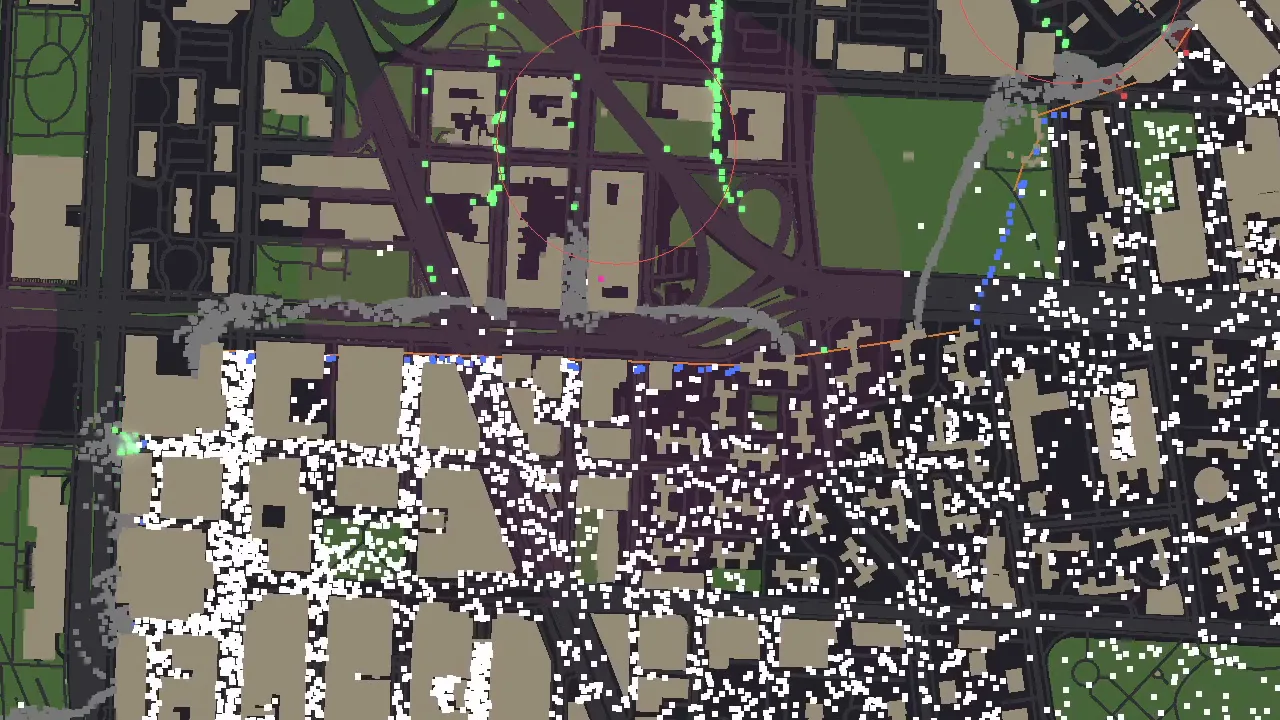
The co-op host can choose a map the guest has never installed. Watch the co-op status as the stage loads: it shows where the map is coming from and the percentage transferred.
| Map | How the guest gets it |
|---|---|
| Workshop map | Steam downloads it |
| Any other custom map | The host sends it |
The November 16 update made host-to-guest map transfers about four times faster. To make a map of a real city or find one to subscribe to, see Zombies Aren't Real Workshop maps. The campaign cities are on Zombies Aren't Real maps.
Co-op troubleshooting: ready status and desync
When co-op pauses, check the status line. A partner opening the menu pauses the battle for both players. If the game says the two battles drifted apart, press Retry to start the battle over. The co-op log in the game's logs folder records where the simulations disagreed.
Co-op messages during setup
- Different game versions. Update both copies in Steam before trying the co-op invite again.
- Waiting for the other player. Both players need to be ready. Editing the board leaves a READY in place. Opening your loadout takes yours back.
- Plan change undone. If you and your partner edit the co-op plan at the same instant, the game can undo your last change. Check the spot you edited before making the placement again.
The November 16 update fixed a battle-start desync when only one co-op player had played the map, and a guest's Continue to Level button that did nothing. If co-op still drifts apart, the developer asks players to contact Jo or Brad on the game's Discord.
Questions
- Can more than two people play co-op?
The current co-op limit is two. On November 16 the developer acknowledged requests for larger co-op groups. There is no announced release date for a bigger lobby.
Comments
Site
No comments yet. Ask a question or share what worked in your runs.