Zombies Aren't Real Wiki › Workshop maps
Zombies Aren't Real Workshop and custom maps
Zombies Aren't Real Workshop maps are player-made maps: subscribe to one on the game's Steam Workshop page and Steam downloads it. To build your own city in Jogamedev's horde-defense strategy game, open Free Play and choose Add New Map. Search by city name or postal code.
-
Enter a city or postal code in Free Play. Choose a centre for your map and click Create.
-
Subscribe on the game's Steam Workshop page and Steam downloads the map.
-
Rule changes made in the Workshop screen. They apply to Free Play runs only.
-
A partner who doesn't have the map can still join you on it.
Generate a map of a real city
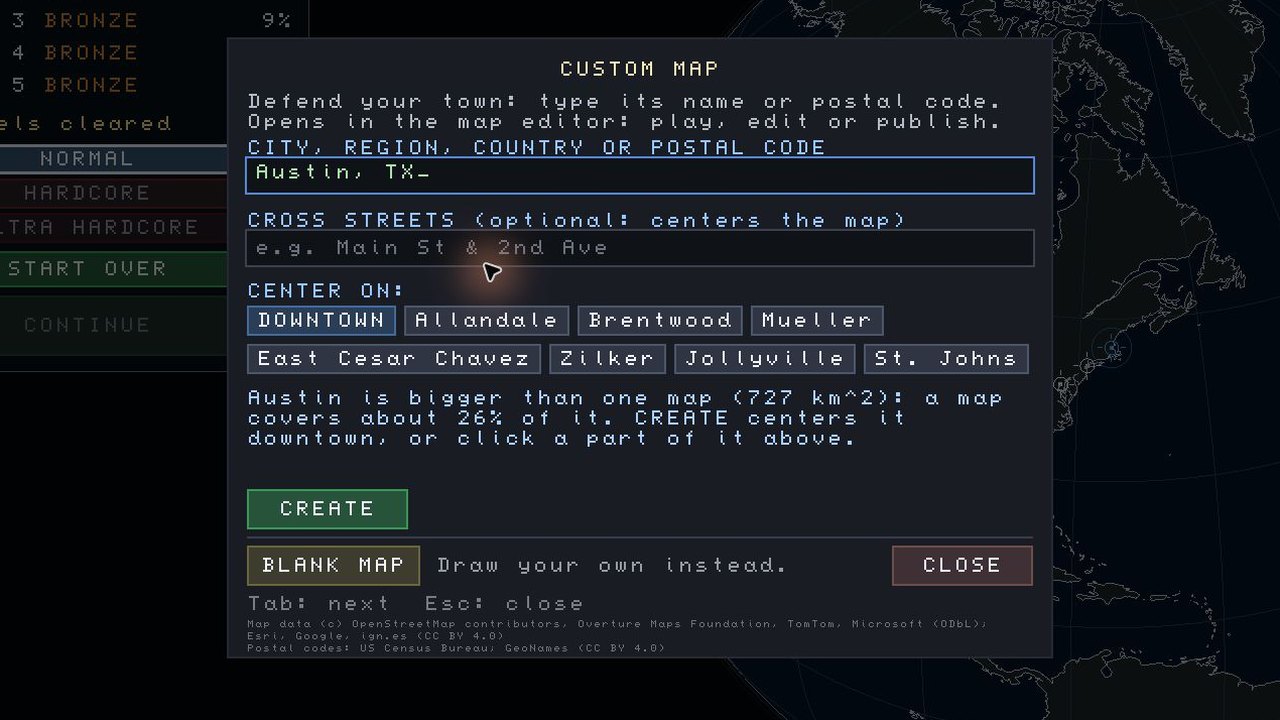
Open Free Play → Add New Map. In the first field, type the city or town and choose the match with the right region and country. For a city search, you can leave Cross Streets blank. If a large city offers several centres, pick the neighbourhood you want to defend before selecting Create.
In our Austin run, typing au brought up Austin, TX, United States. Downtown was the default centre, with seven other neighbourhoods to choose from. The form estimated that one map would cover about 26% of Austin. We kept Downtown and clicked Create. At the Play or Edit Map prompt, we chose the editor. Our Austin map had six stages and 151,344 buildings.
The generator uses open map data including OpenStreetMap and Overture Maps. You can play the resulting map from your own Free Play list before publishing it to the Workshop.
Generate a custom map by ZIP code
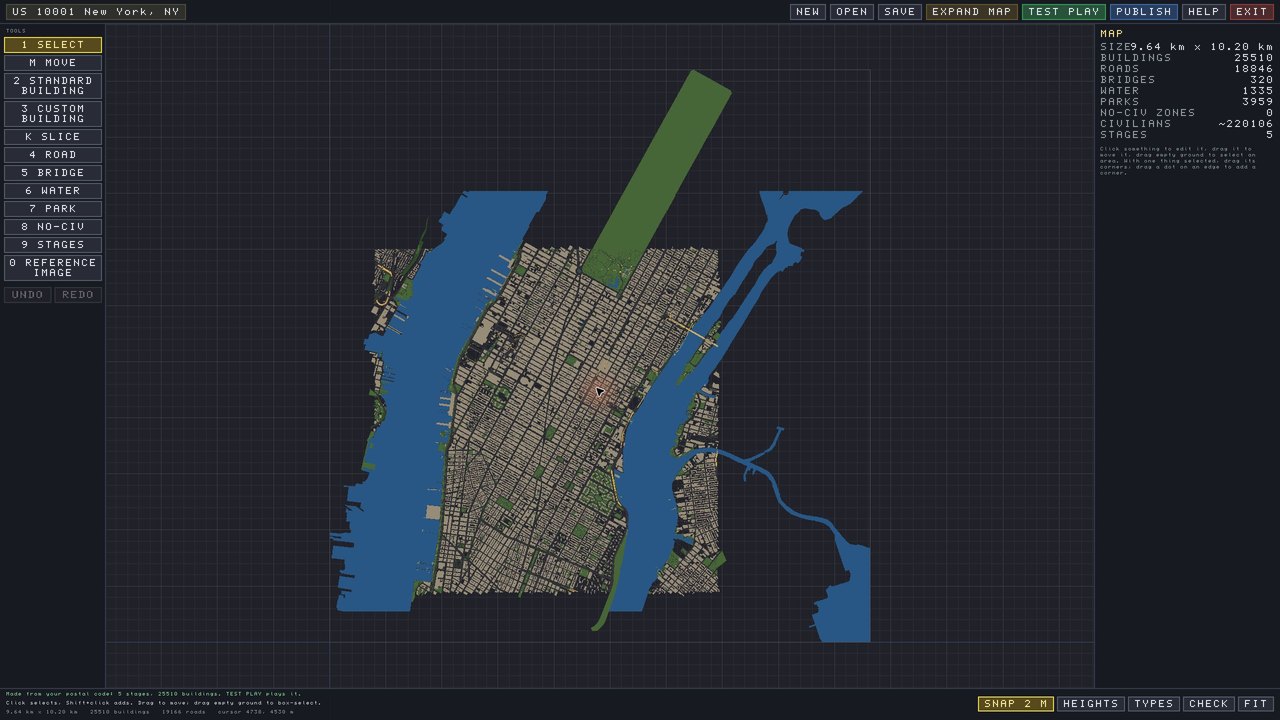
Enter the ZIP code in the same field as the city name. In our Free Play run, we typed 10001, left Cross Streets blank and clicked Create. The game looked up the postal code, then finished the bridges and courtyards. The ready prompt named the map US 10001 New York, NY. Choose Edit Map there to inspect the result before playing.
Our editor showed five stages and 25,510 buildings, with piers on both sides of Manhattan. Back in Free Play, the ZIP map had its own entry alongside Austin. The official New York City campaign map is listed separately.
Change which streets open in each stage
In the editor, select Stages and drag a stage's boundary points. Each new stage must include the whole previous stage. With no custom boundary, the game draws one around the buildings. Test Play lets you try a stage before publishing your Workshop map.
Zombies Aren't Real Workshop maps
Player-made maps are on the game's Steam Workshop page. In the in-game Workshop, choose Maps to filter out mutators. Top Rated, Trending and Newest help you find maps. Subscribed lists your own Workshop subscriptions. In our Free Play session, Top Rated had results and Subscribed showed Nothing here yet.
Subscribe to a Workshop map
- Open the Steam Workshop page or the game's Workshop screen, and pick a map.
- Click Subscribe. Open the in-game Workshop to check the download. When the map is installed, its status reads Ready to Play.
- Open Free Play. The map is in your list there.
A Workshop map keeps the Map Colors presets its author picked.
Publish a Workshop map
- Start with a generated city, or choose Create Custom Map in the Workshop and use Blank Map for a fictional layout.
- Use the level editor to set the stages, buildings, roads, water and colours. Save the map with at least one building for civilians.
- Choose Publish and give the Workshop listing a title. The game includes a preview image and adds the map data credits to generated cities.
Write the Workshop description for players choosing a map and the welcome message for those opening it. Find your published Workshop map under My Uploads. After editing a published map, click Publish again in the map editor. In the dialog, fill in What Changed and press Update. Players can read your note on the Workshop listing.
| Map editor tool | What it does |
|---|---|
| Buildings | Rectangular or any custom shape |
| Roads and bridges | Streets, and bridges across water. Golden lines mark the bridges |
| Water | Draw bodies of water |
| Parks | Burn when fire touches them |
| No-civilian areas | No civilians spawn there |
| Map Colors | Map-wide presets: ground in asphalt, clay, concrete, dirt, sand, snow or night; buildings in adobe, brick, grey, slate, tan, white or night |
Building types set in the editor, such as making a building Civic, do not take effect in play yet. The developer called it "a known issue" on 16 November and said a fix was ready for the next update.
Why is my Workshop upload hidden?
An upload can finish before the map appears in Workshop search. If the confirmation offers Accept Agreement, use it to accept the Steam Workshop agreement. Once the map is public, other players can find and subscribe to it. If the Workshop reports that your Steam Cloud space is full, its preview image needs space there too.
Mods and mutators
In the Workshop, open Manage My Mutators to make your own Free Play mod.
Sharing custom maps in co-op
You can host a Workshop map even if your partner has never installed it. See co-op map transfers for how Workshop and local maps reach the guest.
Questions
- Can I play Hardcore on a Workshop map?
Yes. You can select Hardcore or Ultra Hardcore the first time you open a player-made map. See Hardcore modes and leaderboards for the rules.
- Why won't a generated city or Workshop map download?
If place names fail to load in the generator, check the connection or enter a postal code. Large postal areas can require two streets that cross. For a Workshop subscription, check the download status under Subscribed with Steam running.
- Revert Files wiped my progress. Can I get it back?
If your badges and completed maps are gone, the developer says they may just be in the mods folder. His steps from 18 November:
- Close the game.
- Copy every file in
steam_cloud\modded\progress\intosteam_cloud\progress, without overwriting any file. - Copy everything in
steam_cloud\modded\plans\intosteam_cloud\plans\the same way. This keeps each map's level 1 plan.
Comments
Site
No comments yet. Ask a question or share what worked in your runs.